EN MY

Booking Guide

Step 1

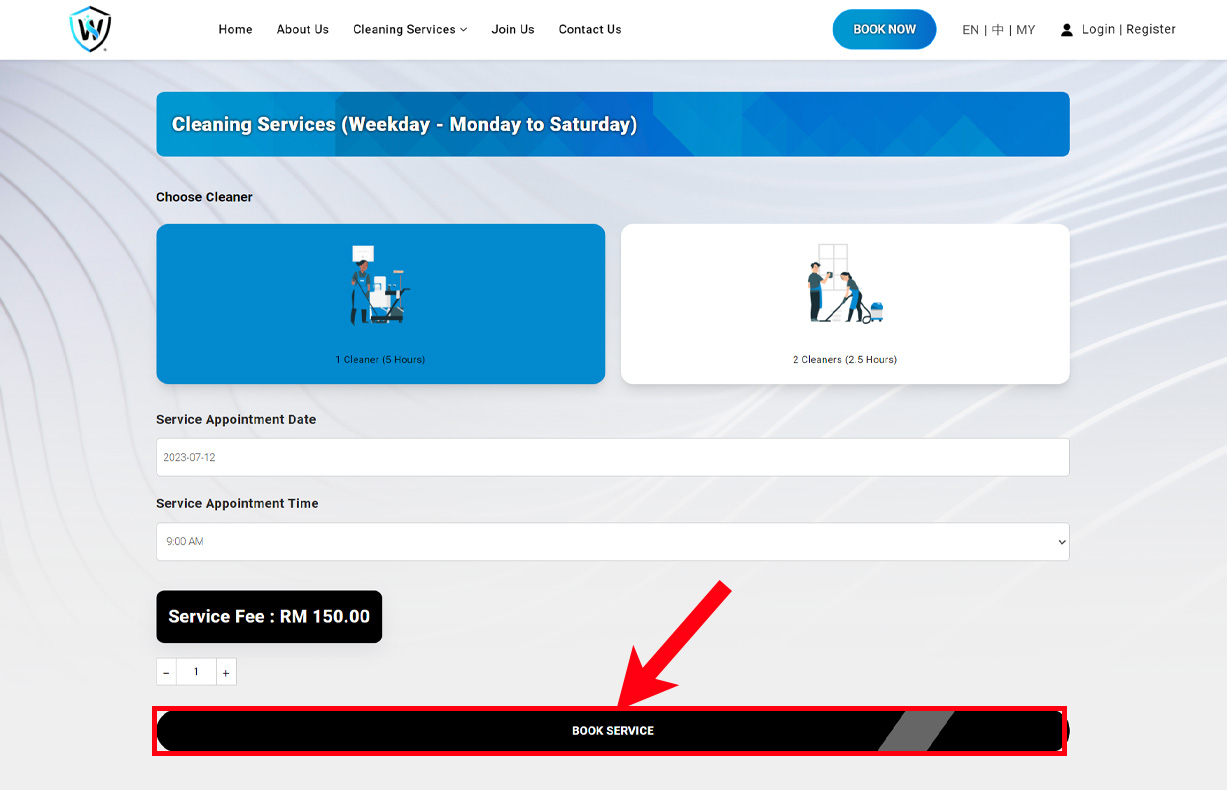
Click "Book Now" button and select the service you need.

Step 2

Select how many cleaners you need and the details, and book service.

Step 3

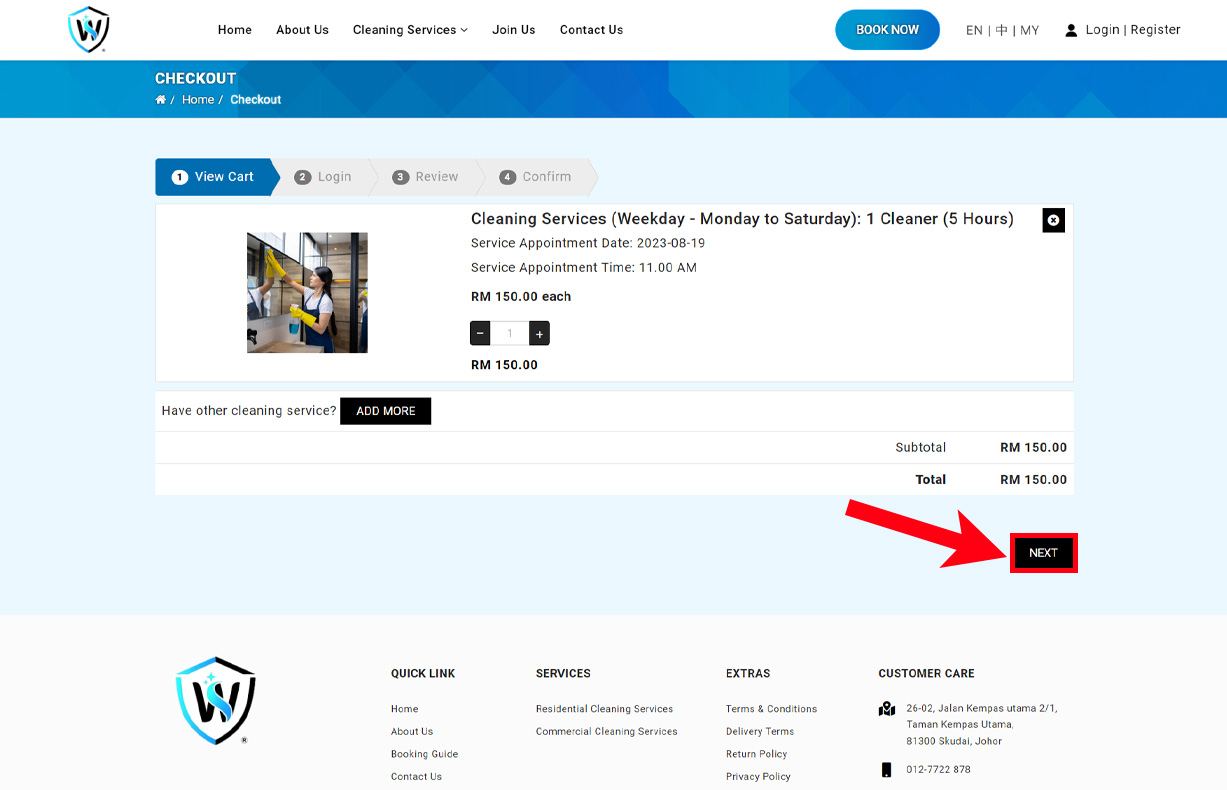
Check your cart. Once you confirm your service, proceed to next.

Step 4

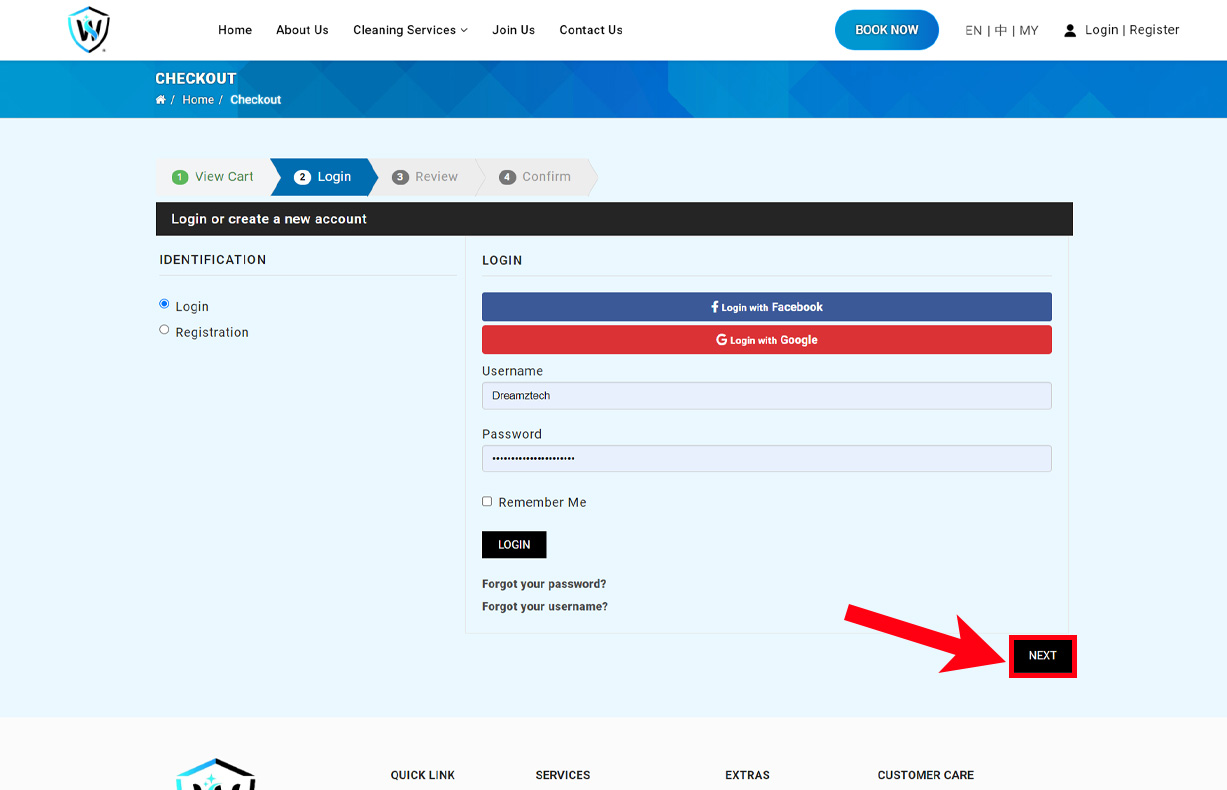
If you're a returning customer, please login using your email and password. Otherwise, please register by completing the registration form. Then click the "Next" button to continue.

Step 5

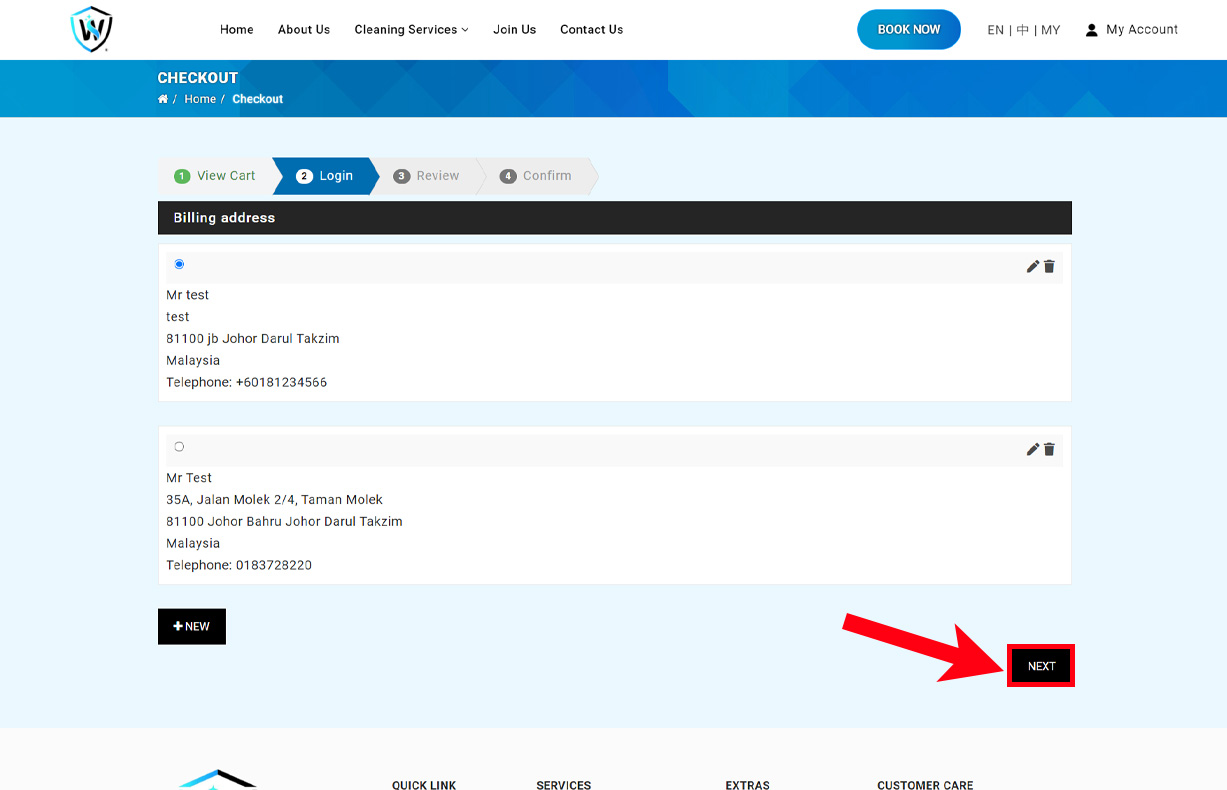
Choose your billing/shipping address. You can also edit them with the pen icon. Click "Next" button to proceed once you're done.

Step 6

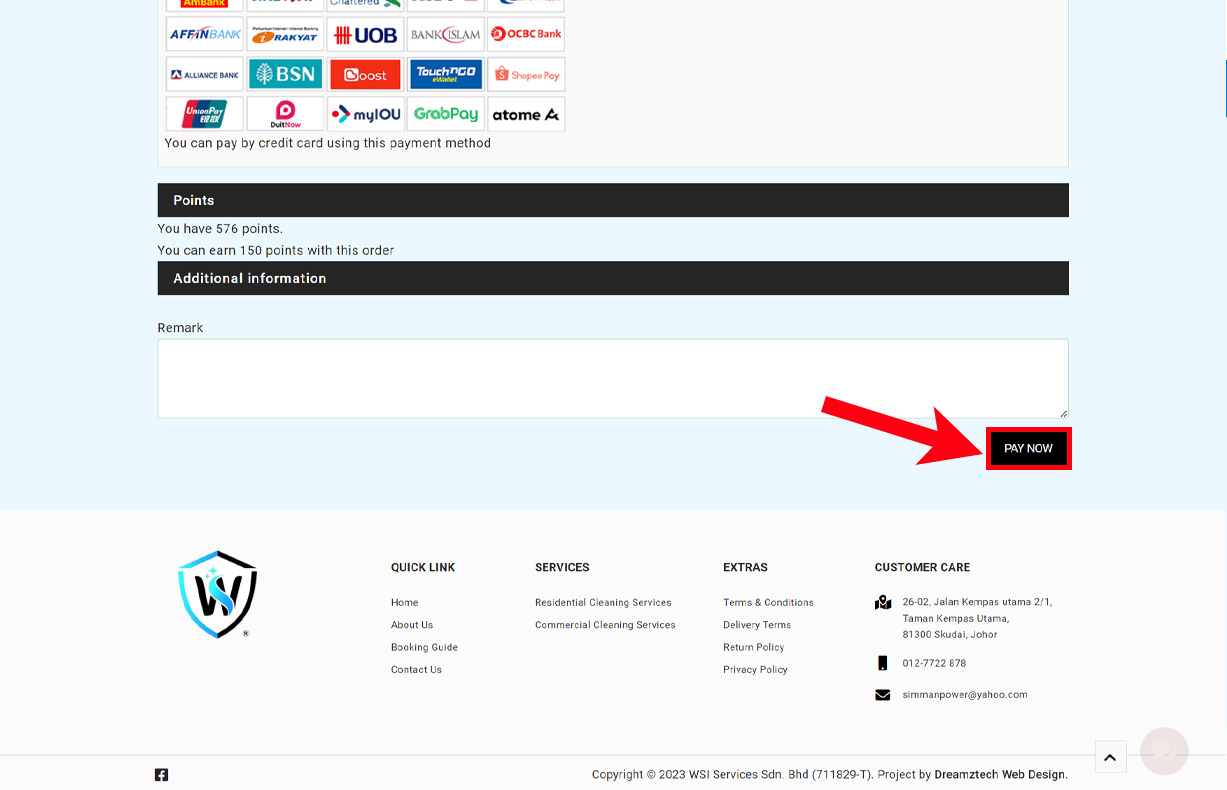
Confirm your booking order and click the "PAY NOW" button.
Image

Customer Care

26-02, Jalan Kempas utama 2/1,
Taman Kempas Utama,
81300 Skudai, Johor
Copyright © 2026 WSI Services Sdn. Bhd (711829-T). Project by Dreamztech Web Design.
No Internet Connection

Install this WSI Services Sdn Bhd on your : tap Apple Share Button and then Add to Home Screen

Register Form

Cancel

Sign in to your account